
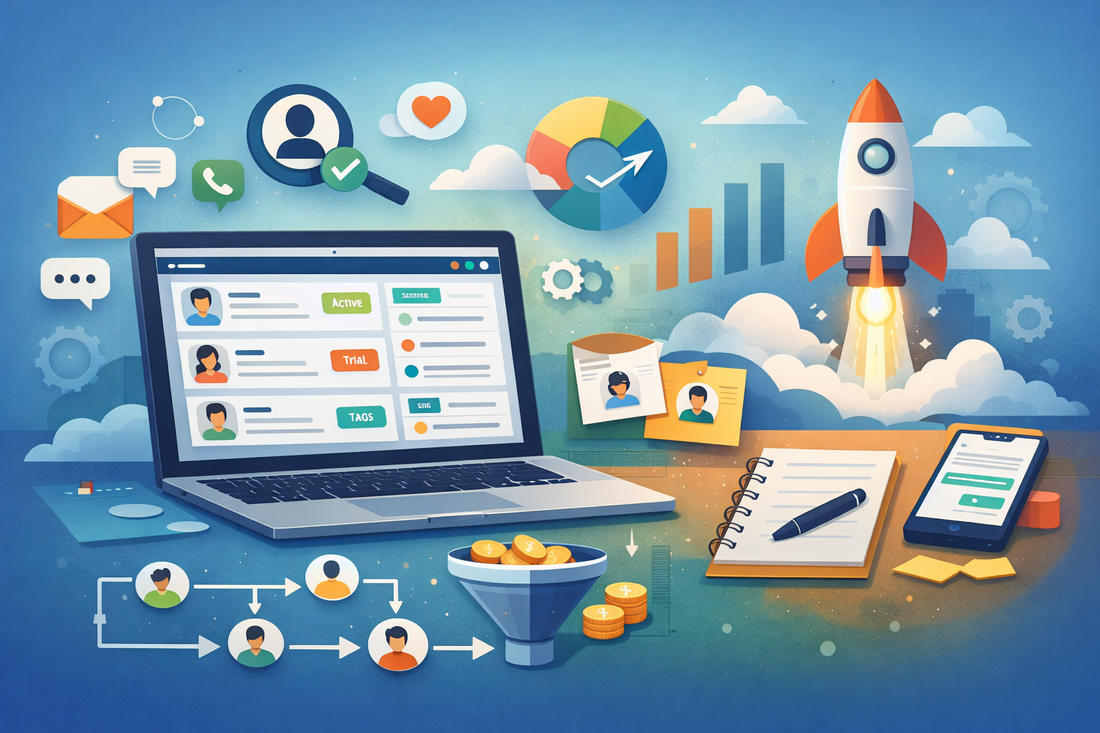
Early-stage teams reach this question faster than they expect.
You launch an MVP to validate a problem. A few users sign up. Conversations start happening across email, WhatsApp, LinkedIn, demos, and support calls. Very quickly, you lose context. Who spoke to whom? What was promised? Which feedback came from which user?
That’s when founders realize they need CRM features in an MVP, but not a full-blown CRM system that slows the product down.
The challenge isn’t whether to add CRM functionality. It’s how much, how early, and through what software, without overbuilding.
This article is written from real MVP decision-making experience, not tool marketing. We’ll focus on trade-offs, not hype.
Why Early-Stage Teams Need CRM Functionality (But Can’t Overbuild)
At the MVP stage, CRM is not about sales pipelines or automation. It’s about learning.
You need to:
- Track early users and conversations
- Connect feedback to real accounts
- Understand who is converting and why
- Avoid losing critical context during validation
What you don’t need is:
- Complex deal stages
- Heavy reporting dashboards
- Enterprise automation
- Rigid workflows
This is why most early teams struggle with traditional CRM software. It solves problems they don’t have yet.
The right approach is either:
- A lightweight CRM for MVP, or
- An MVP with built-in CRM capabilities that grow gradually
- These CRM elements for SaaS MVP are all about clarity, not efficiency. Automation will only happen when repetition begins to occur.
What CRM Features an MVP Actually Needs
Before choosing software, clarify what CRM features to include in an MVP.
From experience, these are the only essentials:
- User / account records
Basic profile, contact details, signup source. - Conversation history
Emails, notes, demo feedback, support threads, centralized. - Simple status tracking
Interested, active, churned, trial, paid. Nothing more. - Manual notes & tags
Founders and PMs need to write context, not automate it. - Basic segmentation
By plan, usage, persona, or feedback type.
These CRM elements for SaaS MVP are all about clarity, not efficiency. Automation will only happen when repetition begins to occur.
Software That Offers Built-In CRM Features
Instead of forcing a full CRM, many teams choose CRM software for MVP that already includes customer tracking.
Here are practical categories, not endorsements.
1. Product-Led Tools with Native CRM Capabilities
These services consider users as first-class objects, not leads.
- Customer profiles linked with the actual use of products
- Notes, Tags, and State of Lifecycles
- One Place where Feedback & Engagement Happen
Best for:
Teams are working on product-market fit validation through usage.
This approach automatically supports CRM for product validation with no need for further integration.
2. Lightweight CRM Tools for Early-Stage Startups
Designed specifically for founders, not sales departments.
- Minimal pipelines
- Manual workflows
- Clean UI, low setup cost
These tools work well as CRM tools for early-stage startups when sales is founder-led, and conversations are few but important.
3. No-Code Platforms with Embedded CRM Logic
Many teams quietly build a no-code CRM for MVP using tools like Airtable, Notion, or Glide.
This works when:
- User volume is low
- Data relationships are simple
- The team needs flexibility over polish
The trade-off: speed vs long-term structure.
Built-In CRM vs External CRM Integration
This is where most teams make mistakes.
At the MVP stage, CRM is not a tooling decision – it’s a timing decision. Some teams need speed of learning, others need operational structure, but choosing the wrong approach too early creates friction. The real risk isn’t picking the wrong CRM, it’s adding complexity before the product signal is clear. Let’s understand this difference clearly.
This is where most teams make mistakes.
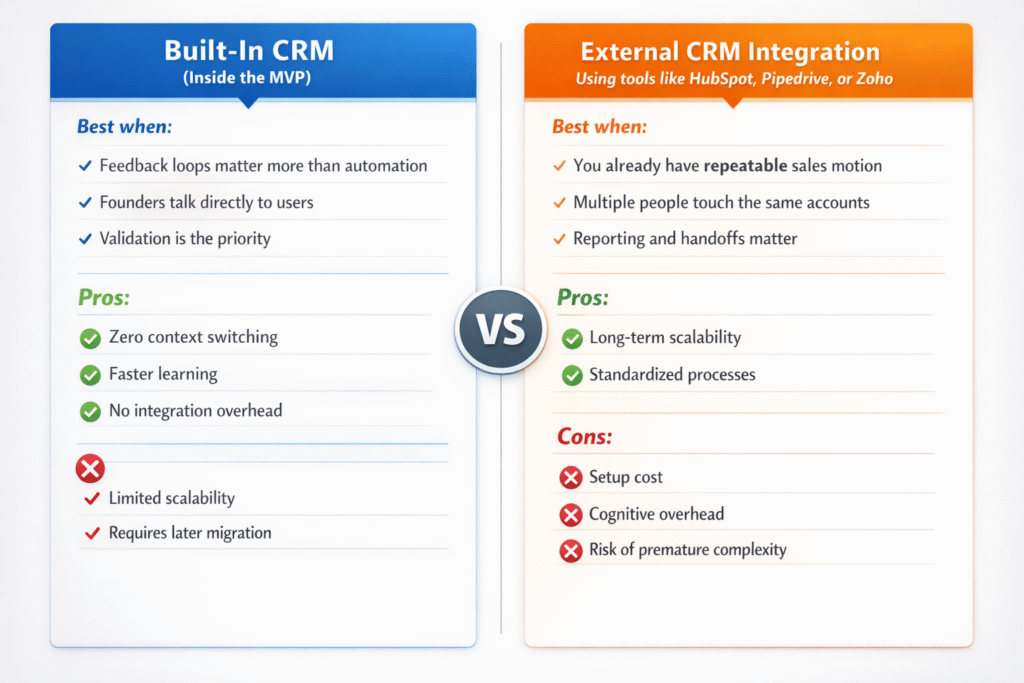
In the end, there’s no universally “right” CRM approach at the MVP stage.In-Built CRM will lend itself best when learning and feedback are the primary focus, while utilizing External CRM will make more sense when processes are allowed to scale on the ownership front. The error isn’t in A vs. B; the error is in when. Learnability trumps structure
Common CRM Mistakes in MVPs
These are patterns seen repeatedly across startups:
- Overengineering CRM too early
You don’t need automation before you understand users. - Choosing enterprise tools by default
Big-brand CRM ≠ right-stage CRM. - Separating product data from user context
CRM disconnected from usage kills insight. - Ignoring manual workflows
Manual is not bad at MVP stage, it’s educational. - Confusing CRM vs custom MVP CRM
Custom only makes sense when learning loops are core to the product.
Choosing the Right CRM Approach for YourMVP
Use this easy outline:
- If you are in the process of testing demand:
Go for native or lightweight CRM.
2. If sales is founder-led:
Manual notes + simple status tracking wins.
3. If users are self-serve:
Tools that are product-led have timelines for users.
4. If handoffs have begun:
Integrate external CRM, but keep them at a minimum.
5. In case the roadmap is driven by feedback:
Integrate the CRM within the product, not outside of it.
The goal isn’t CRM maturity; it’s learning velocity.
Fazit
The addition of the CRM system to the MVP is not a sales optimization tool. It is a matter of retaining the insight.
Right CRM functionalities in the MVP allow you to:
- Remember users
- Feedback should be linked to decision-making
- Learn quickly without slowing down the product
In any case, whether it is a lightweight CRM, an MVP with a built-in CRM, or a delay integration, the following applies:
A CRM system needs to enhance learning. It needs to simplify things. It needs to scale after the signal becomes real.












 German
  English